

Appearance
Tux Rental Settings
Settings → Tux Rentals. Appears once Suit & Tux Rentals is switched on under Modules.
These are the defaults every new party starts with. Every date can still be changed on the party itself. For what the module does, see Tux Rentals.
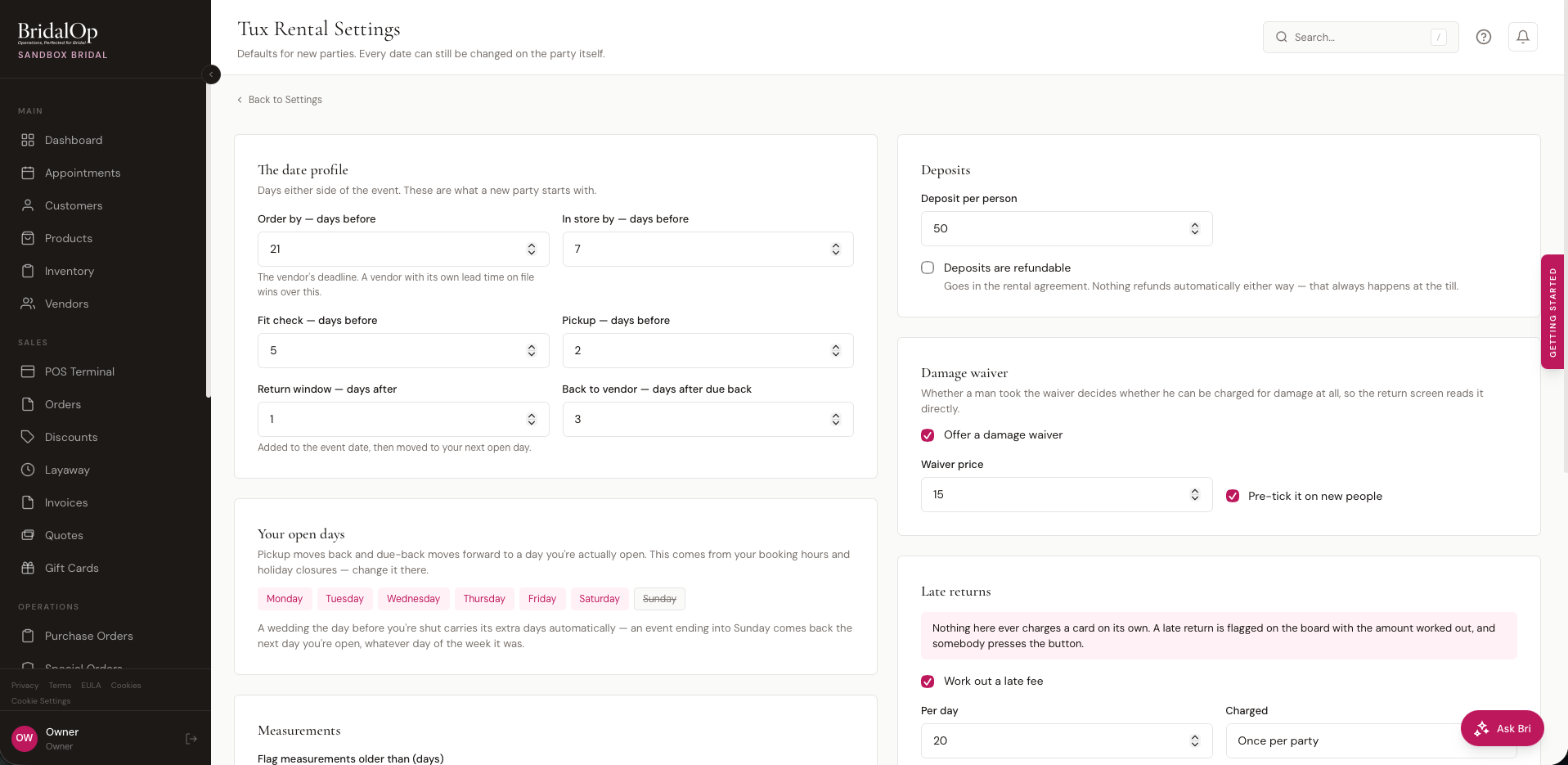
The date profile
Days either side of the event.
| Setting | Default | What it does |
|---|---|---|
| Order by — days before | 21 | Your vendor's deadline. A vendor with its own lead time on file wins over this |
| In store by — days before | 7 | When the boxes should have landed |
| Fit check — days before | 5 | When you want everyone trying on |
| Pickup — days before | 2 | Moved back to a day you're actually open |
| Return window — days after | 1 | Added to the event date, then moved forward to a day you're open |
| Back to vendor — days after due back | 3 | When it needs to be on its way back to your supplier |
Vendor lead times win
If you've entered lead times on a vendor's profile, the longest standard one is used for that vendor's parties instead of the 21 above. Rush options are ignored — a rush is a decision somebody makes, not a default to plan around.
Your open days
Not editable here — it's shown so you can see what the rules above will actually do.
Pickup moves back and due-back moves forward to a day you're open, taken from your Booking Settings hours and your holiday closures. Change them there.
Nothing assumes weddings are on a Saturday. For a shop open Tuesday to Saturday:
| Event day | Due back |
|---|---|
| Tuesday | Wednesday |
| Thursday | Friday |
| Saturday | Tuesday — Sunday and Monday are skipped |
| Sunday | Tuesday |
The Saturday wedding gets its extra days because of the rule, not because Saturday is special.
Measurements
Flag measurements older than (days) — default 90.
Anything older gets a warning on the party. A boy measured in February is a different size in June, and the order goes in on whatever was last written down.
The party link
Give each party a shareable link — on by default. Creates one link per party for the couple to share with everyone renting.
Let them enter their own measurements — on by default. Turn it off and the link only collects contact details, leaving measuring to you.
Anything entered through the link is saved as self-reported and flagged on the party, so you know which numbers to check.
Locations
Only appears if you have more than one location.
Rental parties are visible at every location — off by default.
Off, staff only see parties at their own location, like everywhere else in BridalOp. On, anyone can see any party — which is what you want if somebody gets measured at one shop and collects from another.
Deposits
| Setting | Default |
|---|---|
| Deposit per person | 50.00 |
| Deposits are refundable | Off |
The refundable tick goes into your rental agreement wording. Nothing refunds automatically either way — refunds always happen at the till, where they're recorded.
Damage waiver
Whether someone took the waiver decides whether he can be charged for damage at all, so the return screen reads it directly rather than hoping somebody remembered to add a line.
| Setting | Default |
|---|---|
| Offer a damage waiver | On |
| Waiver price | 15.00 |
| Pre-tick it on new people | On |
The waiver covers ordinary damage. It never covers something that doesn't come back at all.
Late returns
Nothing here charges a card on its own
A late return is flagged on the board with the amount worked out, and somebody presses the button to add it to that person's order. That is the only way a late fee ever becomes money.
| Setting | Default | Notes |
|---|---|---|
| Work out a late fee | On | Switches the calculation on, never a charge |
| Per day | 20.00 | |
| Charged | Once per party | Or per piece still out |
| Grace days | 1 | Days after the return date before anything accrues |
| Cap | 200.00 | Leave blank for no cap |
Once per party is what a customer expects to be told. Per piece still out is closer to how your supplier bills you. Shops genuinely differ.
Leave the cap in
Without one, a forgotten coat reaches a number nobody collects and everybody argues about. You end up waiving it, which is worse than having had a cap.
The clock runs from the adjusted return date — the one that already accounts for days you're closed — so nobody is billed for your own closing day.
Group promo
"Groom's tux free with five paid rentals." Off by default.
| Setting | Default |
|---|---|
| Run a group promo | Off |
| Paid rentals needed | 5 |
| Who goes free | Groom |
The man going free doesn't count toward earning it — five paid rentals means five other people. Anyone marked as dropped counts for nothing.
It locks when the party is ordered
Worked out once, when the party goes to your vendor, and never recounted. If somebody drops out afterwards you're told — "applied at 5 paid, now 4" — and nobody is re-billed.
Retroactively charging the groom for a tux he was told was free is not a conversation anybody wants, so BridalOp shows you the discrepancy and leaves the decision with you.
See also
- Tux Rentals — what the module does
- Setting Up Tux Rentals — end to end
- Booking Settings — your opening days