

Appearance
Modules
Modules let you turn individual BridalOp features on or off for your store. If you don't use alterations, gift cards, or consignment, you can disable those modules to keep your sidebar clean and focused on the features you actually use.
Go to Settings > Modules to manage them.
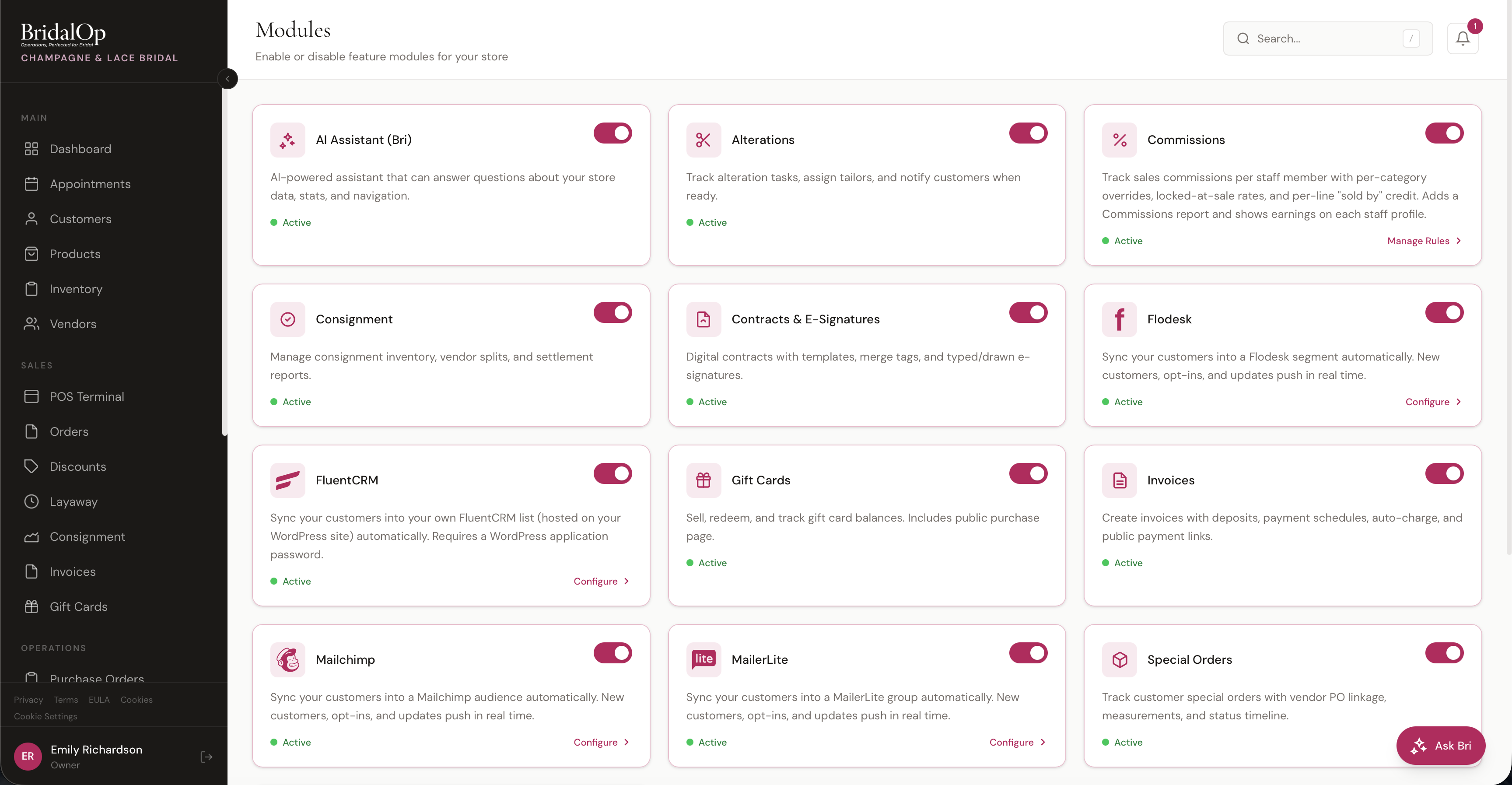
Each module is shown as a card with a description, an active/inactive status, a toggle to enable or disable, and (for some modules) a Configure link that takes you directly to that module's settings page.
How Disabling Works
Important
Disabling a module hides it from the sidebar and main navigation, but the underlying functionality may still exist in the system. For example, disabling Gift Cards removes the Gift Cards menu item, but existing gift card data isn't deleted, and customers may still be able to redeem gift cards through other parts of the app.
Treat disabling as hiding the feature rather than completely turning it off. If you need to fully prevent a feature from being used, also adjust Roles & Permissions to revoke access for your staff.
Available Modules
The full list of modules you can enable or disable:
| Module | What It Controls |
|---|---|
| AI Assistant (Bri) | Enables Ask Bri, the AI chat assistant for store data queries and platform guidance |
| Alterations | Enables Alterations — task checklists, measurements, tailor assignment, and customer notifications |
| Commissions | Tracks sales commissions per staff member — per-category overrides, per-line "Sold By" credit, and monthly tiers for people paid on what they sell in a month. Adds a Commissions report. Must be enabled before the "Sold By" dropdown appears in the POS. Per-line commission cannot be retroactively assigned to existing orders — it is set at time of sale. |
| Consignment | Enables Consignment Settlements — vendor splits, payouts, and settlement reports |
| Contracts & E-Signatures | Enables Contracts — digital contracts with templates, merge tags, and typed/drawn signatures |
| Flodesk | Enables the Flodesk integration for syncing customers to a Flodesk segment |
| FluentCRM | Enables the FluentCRM integration for syncing customers to your WordPress site running FluentCRM |
| Gift Cards | Enables Gift Cards — sell, redeem, and track digital gift cards with a public purchase page |
| Invoices | Enables Invoices — create invoices with deposits, payment schedules, auto-charge, and public payment links |
| Mailchimp | Enables the Mailchimp integration for syncing customers to a Mailchimp audience |
| MailerLite | Enables the MailerLite integration for syncing customers to a MailerLite group |
| Prom Module | Enables the Prom Module — registers every prom gown against the school it sold to so no two girls from the same school wear the same dress. Adds Schools and Prom Registry to the menu, a public checker page, and a Prom Season report. Off unless you turn it on, unlike most modules. |
| Quotes | Enables Quotes — pre-sale estimates with a public Accept / Decline page, convertible to a draft order or invoice |
| Suit & Tux Rentals | Enables Tux Rentals — track suit and tux parties for weddings and proms: who is in each one, their measurements, what they're wearing, when it's due back and what they owe. Adds a Tux Rentals board, a settings page, three appointment types, a rental agreement and a report. Off unless you turn it on, unlike most modules. |
| Special Orders | Enables Special Orders — track custom orders with vendor PO linkage, measurements, and status timeline |
Prom needs setting up before it does anything
Most modules work the moment you switch them on. Prom is the exception: until you tell it which product types are prom stock, add your schools, and put schools on your customers, it will register nothing and catch nothing — while every screen looks like it's working. The Prom Settings page warns you when it's covering nothing. See Setting it up.
TIP
New modules are added to BridalOp over time. The list above reflects what's currently available — your modules page may include additional toggles depending on your account.
Configure Links
Some modules have a Configure link in their card that takes you to the module's settings page:
- Commissions → Manage Rules for commission rates and overrides
- Prom Module → Prom Settings for enforcement, holds, seasons and the public checker
- Suit & Tux Rentals → Tux Rental Settings for dates, deposits, the damage waiver, late fees and the group promo
- Commissions → Commissions for per-line rates, monthly tiers and settling a month
- Mailchimp, MailerLite, Flodesk, FluentCRM → integration settings to connect API keys and select audiences
For modules without a Configure link, the feature is ready to use as soon as you toggle it on.